Overview
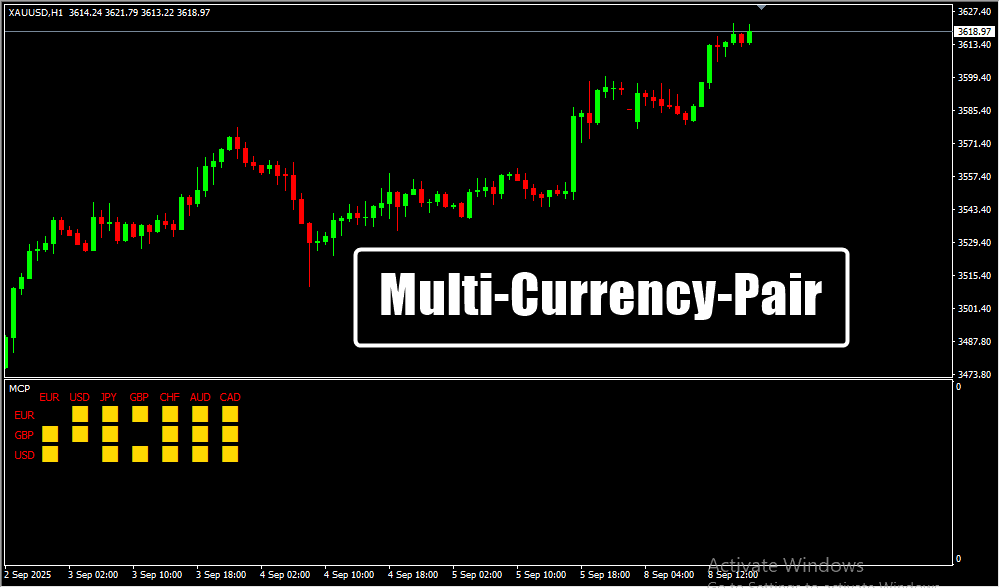
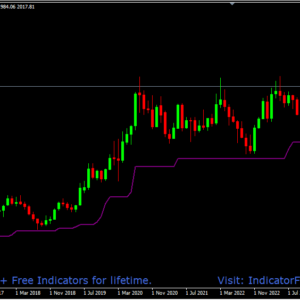
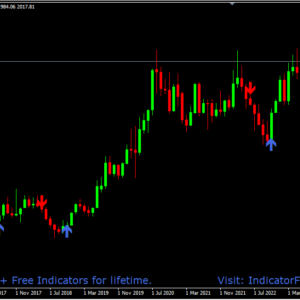
The Multi Currency Pair MT4 Indicator gives traders a complete market overview in one place. Instead of opening several charts, traders can now monitor multiple currency pairs on a single screen.
This makes it easier to spot trading opportunities, confirm trends, and avoid distractions. It streamlines decision-making and helps active traders save valuable time while improving accuracy in fast-moving markets.
Why Traders Prefer It
-
The indicator’s main advantage is efficiency and clarity — no more switching between multiple charts or missing critical moves.
-
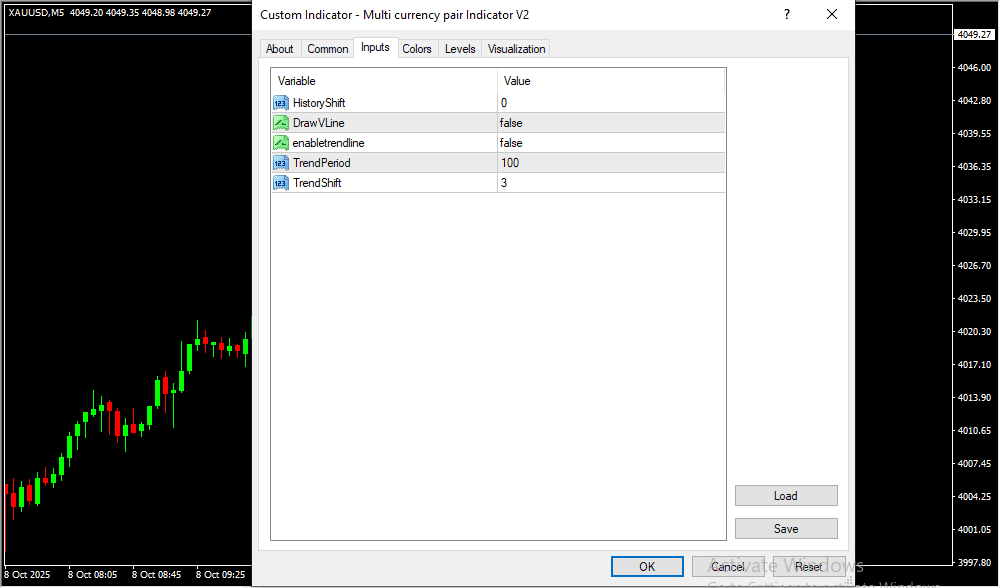
It offers customizable settings, so traders can track only the pairs that are most important to them.
-
Whether you’re a beginner or a seasoned professional, it helps simplify complex market analysis.
-
In volatile conditions, seeing all pair activity in one place ensures faster and smarter trading responses.
How It Improves Trading Decisions
The Multi Currency Pair Indicator lets traders compare currency strength and weakness across several pairs at once.
For example, if the Euro shows consistent strength against multiple currencies, it might indicate a broad EUR uptrend — offering valuable confirmation before entering trades.
This multi-view perspective improves trade timing, trend identification, and risk management while reducing guesswork.
How to Trade with Multi Currency Pair MT4 Indicator
✅ Buy Entry
-
Wait for bullish signals on multiple currency pairs.
-
Confirm that higher timeframes show an upward trend.
-
Enter a buy trade when at least two or more pairs display strong buying momentum.
-
Set a stop-loss below the recent swing low or nearest support zone.
-
Take profit at the next resistance level or use a trailing stop for extended gains.
🔻 Sell Entry
-
Wait for bearish signals across multiple currency pairs.
-
Confirm that higher timeframes show a downward trend.
-
Enter a sell trade when at least two or more pairs exhibit strong selling pressure.
-
Place a stop-loss above the recent swing high or key resistance level.
-
Take profit at the next support area or use a trailing stop for deeper moves.
Conclusion
The Multi Currency Pair MT4 Indicator is a powerful solution for traders who want to simplify their workflow and trade more efficiently.
By allowing you to view and analyze multiple pairs simultaneously, it saves time, reduces chart clutter, and boosts productivity.
Whether you’re managing multiple positions or scanning for opportunities, this indicator helps you stay ahead of market movements and make informed, confident trading decisions.
Risk Disclaimer
- TrendCharts.in and its associated products, services, software, and tools do not provide any offer or solicitation to buy or sell securities, futures, forex, commodities, or derivatives.
- We are not SEBI Registered Investment Advisors or Research Analysts.
- All materials are strictly for educational, informational, and paper trading & help in analysis purposes only.
- We do not provide advice for Real Money Trade, tips, buy/sell recommendations, or investment strategies.
- TrendCharts is solely involved in the development, sell, resale, and distribution of financial market software, datafeeds, indicators, scanners, and tools.
- All our offerings are intended for testing strategies and educational evaluation only—not for real-money trading.
- Users may utilize the software and tools for paper trading or strategy evaluation only.
- If users apply our offerings to actual trading (knowingly or unknowingly), TrendCharts.in or its stakeholders bear no responsibility for any profit or loss.
- Any such use is at the user’s sole discretion and risk.
- We explicitly disclaim liability for any financial loss, trading loss, or damages resulting from:
- Use of our software, tools, or services.
- Decisions made based on any charts, indicators, AFLs, data, or analysis from our products.
- All market data and content provided are subject to delays, inaccuracies, or errors.
- Past performance (actual or hypothetical) is not indicative of future results.
- Hypothetical or backtested performance may not reflect the impact of actual market conditions.
- Trading and investing involve substantial financial risk and can result in loss of capital beyond the initial investment.
- Users must use individual discretion and independent judgment while interpreting signals, strategies, or chart setups.
- Automated signals or scanners are tools for evaluation—not trading instructions.
- TrendCharts content does not account for personal financial conditions, goals, or investment profile.
- Before making any financial decisions, consult with a licensed financial advisor or SEBI-registered professional.
- Do not rely solely on any information presented on our site for actual trades.
- Datafeeds and information may be delayed as per data vendor policies or exchange requirements.
- We do not guarantee the real-time accuracy, timeliness, or completeness of such data.
- No legal claim may be made against us or our data providers based on inaccuracies.
- Any user testimonials are individual opinions and may not represent the typical user experience.
- Hypothetical performance results involve inherent limitations and should not be relied upon for real-money decisions.
- All opinions, data, signals, and analyses shared on the website are subject to change without notice.
- TrendCharts reserves the right to modify tools, content, and services at its discretion.
- Our software or product names are for branding purposes only and do not imply any market prediction or financial guarantee.
- No claim is made regarding profitability from any software usage.
- All content—charts, indicators, tools, or data—is designed for testing, analysis, and learning.
- No real-money trading or investment recommendations are provided or supported.
 Final Note: Trading in financial markets is speculative and may not be suitable for all investors. TrendCharts.in provides various automatic signal setups for Paper Trading & help in Analysis, it is not a “black box” system to be used without careful evaluation. Users must apply their judgment in filtering automated setups, particularly in relation to broader market trends. All trading decisions are solely the responsibility of the individual trader. Trading and investing involve risks, and losses are inevitable, So Kindly use only risk capital and never invest money you cannot afford to lose.
 Always remember
 my 3R Rule
 : If the money
 is yours then, risk
 , reward
 and regret
 are solely yours.